FAST channels
Breaks every few minutes, all day long. We fill them from several exchanges at once. Reports by show tell you which ones pay.
FAST channels break every few minutes. Live channels break when the cue comes. Either way, your stitcher calls our tag at each break and we count every ad. We fill that time with paid ads from your exchanges. Your own promos can fill the time nobody buys.
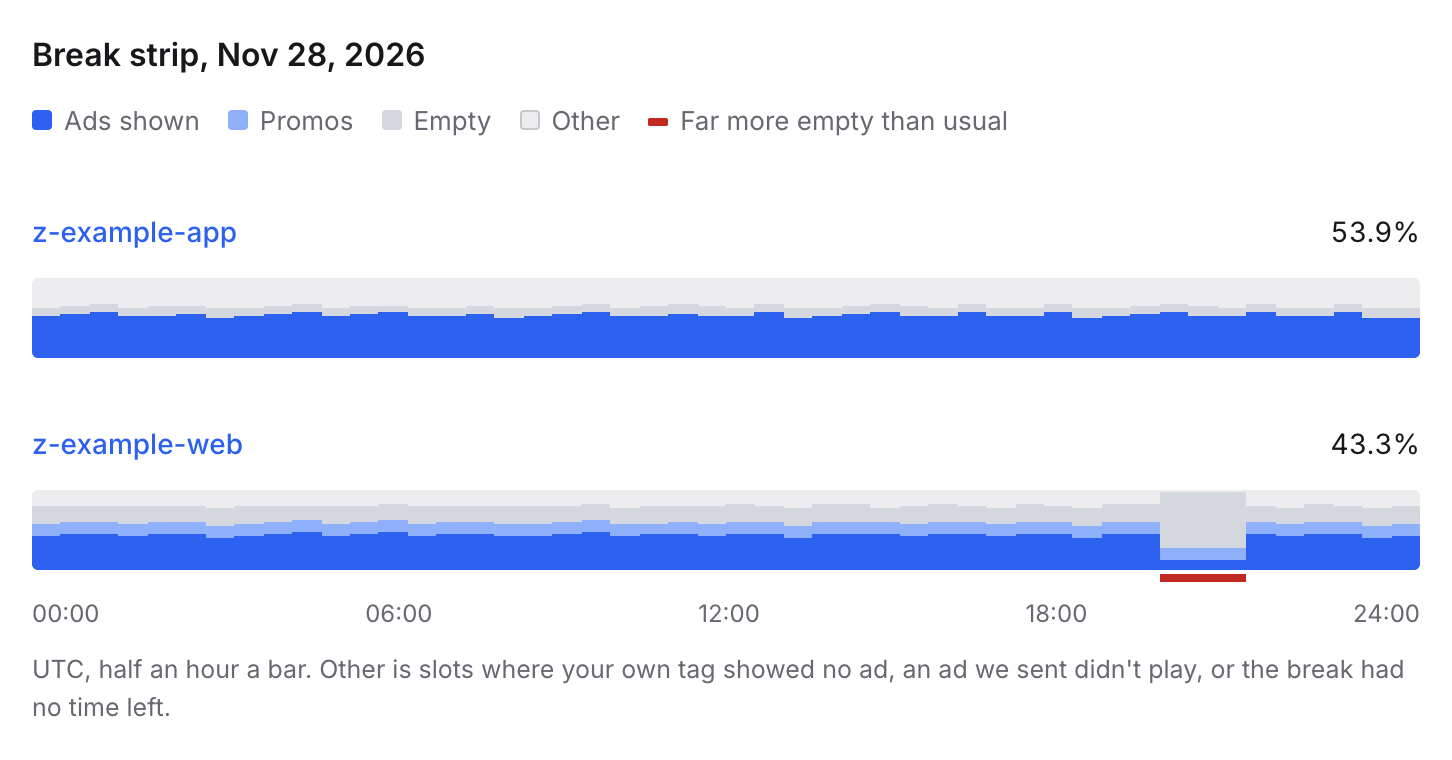
The Cuefill console. The numbers are examples.
Your stitcher sends the cue and calls our tag. We fill each break with paid ads from all your exchanges. The ad tag you already use fills whatever is left. Your own promos can run where nobody bought.
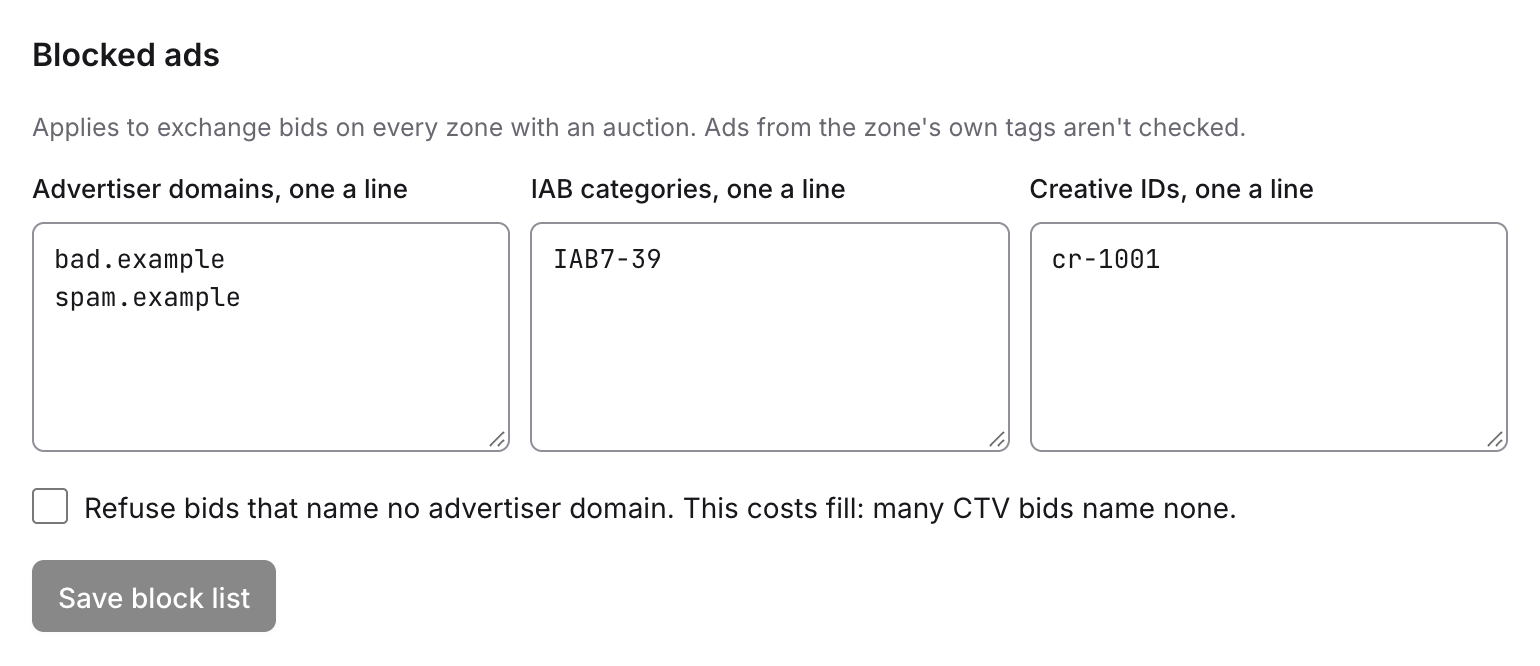
Tell us the lowest price you'll take on each channel and we set it. Deals with your buyers can carry a floor of their own. Block lists keep the advertisers, categories and creatives you don't want out of the auction.
Your editors change the block lists in the console, or we do it for you. When bids name their advertiser, the auction never picks the same one twice in a break.
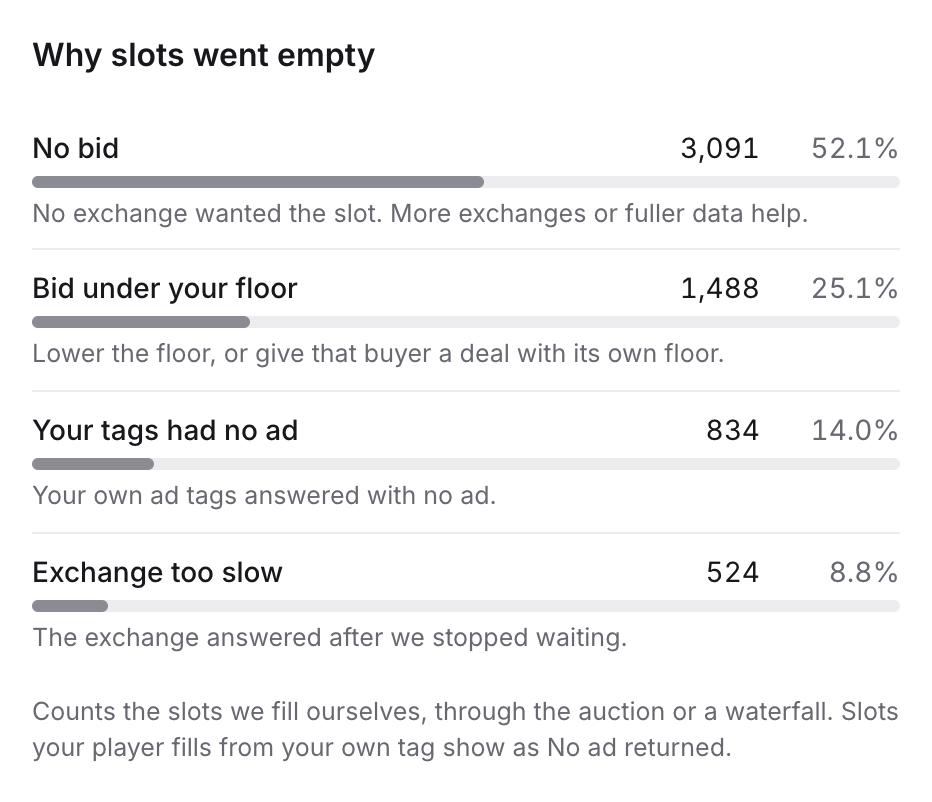
Most ad servers stop at your fill rate. When our servers ask for the ads, we also tell you why the rest went unfilled.
Then you can decide: lower a floor, add an exchange or fix the data your app sends. Your reports also list each player error code and what it means.
Your reports show ad requests, fill and completion for every video, creator, platform and app. Each month you get revenue by video and by creator. Reports by show work the same way.
Under Earnings, each row shows the price per 1,000 ads and the most common reason a slot went empty. Every zone also has a report by country, device and hour. You can pull any of them from our API.
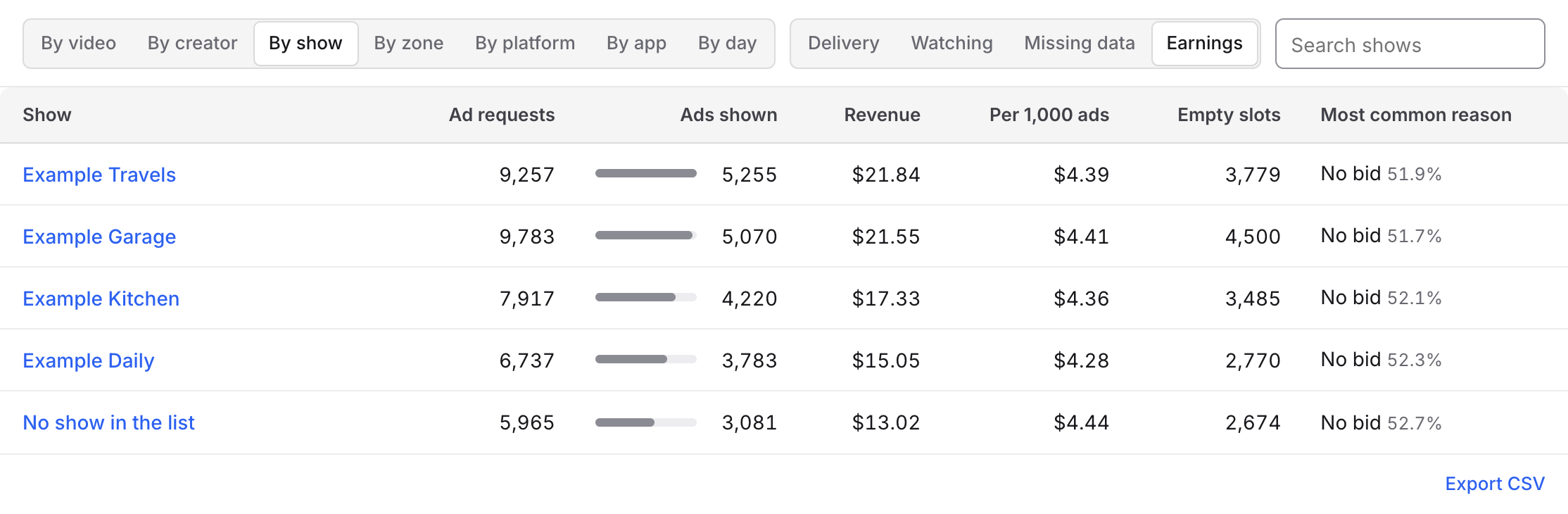
Breaks every few minutes, all day long. We fill them from several exchanges at once. Reports by show tell you which ones pay.
News, sport and events. When the cue comes, your stitcher can send the break length with the tag.
We offer that time to your exchanges. For a big event, you get counts by the minute and a cap on requests to each exchange.
Send us your channel or app. We'll show you what we could fill.
We use these details only to reply to you. Privacy policy